From your idea to a working app. Without writing code.
Build custom apps by chatting with AI, right inside Fireberry. Describe what you need, see the result in real time and publish to your team. As simple as it sounds.
You describe. App Studio builds.
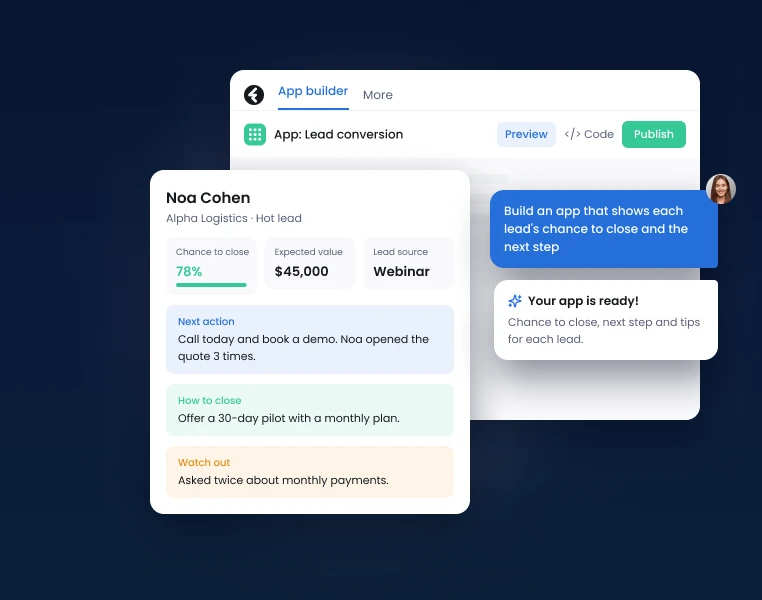
One idea is all you need to get started
No technical spec or coding skills needed. Just describe the app you want to create, and AI builds it for you.
Start from scratch or pick a ready-made prompt. AI also creates the structure and initial design, and you can watch the app take shape as you work.
- Start from a simple prompt or a ready-made template
- Watch the app being built in real time
- Change and improve it by chatting with AI

Build an app that shows every lead's chance to close and the next step
Your app. Exactly where you want it.
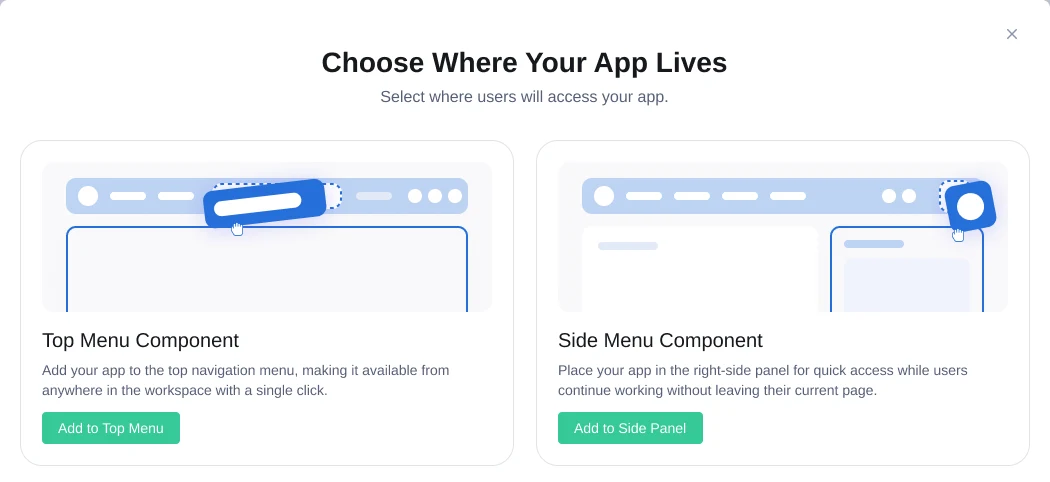
The apps you build fit right inside Fireberry, so your team can use them as part of their daily work.
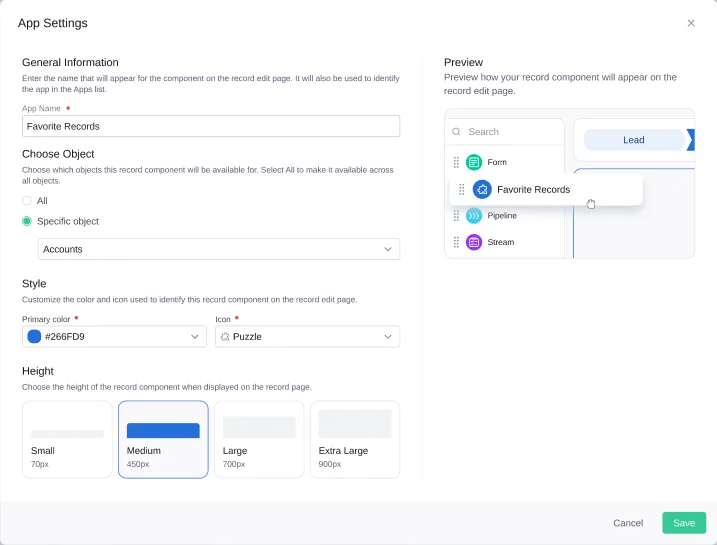
- Inside a record: show custom data and tools in the context of the customer or record
- In the side menu: add a work tool that's accessible from anywhere in the system
- In the top menu: create a standalone app with a full workspace, on mobile too
See. Improve. Publish.
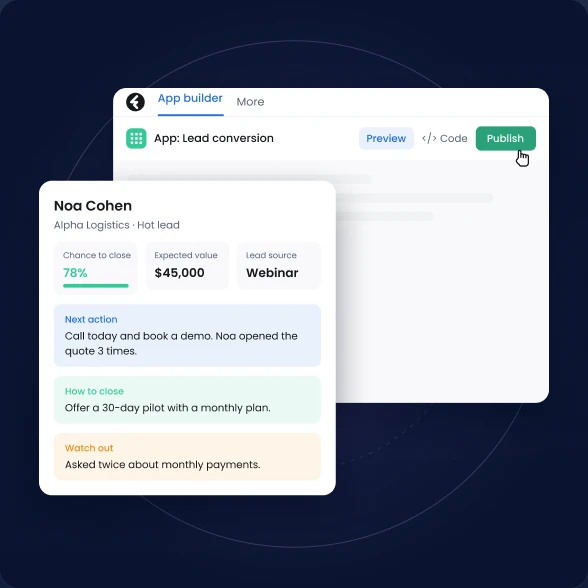
Every change appears in a live preview, with your real data. Want to add a field, change the design or adjust how it works? Just ask.
When the app is ready, publish it to your team. You can keep developing new versions without affecting the version already in use.
- Live preview with your data
- Changes saved automatically
- Separate working and published versions
All your apps. One workspace.
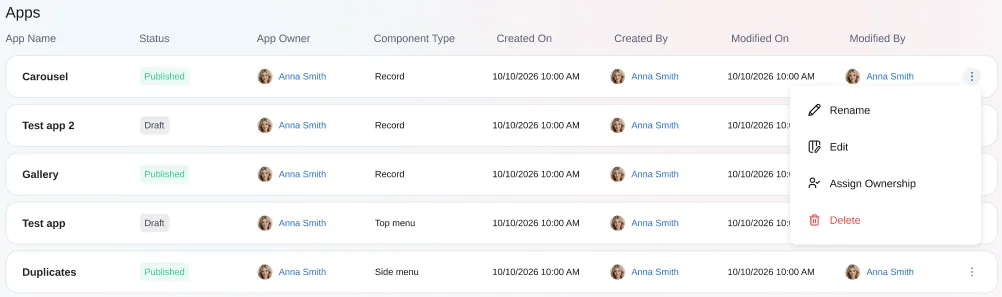
Manage all the apps you created from inside Fireberry, with control over permissions, ownership and editing.
- See all apps and their status
- Duplicate existing apps
- Manage permissions by role
What can you build with App Studio?
Campaign management in one place
An app that brings together campaigns, budgets, marketing channels and timelines. Everything you need to run the work and see the full picture.
A full customer view, at any moment
Bring the key data into the customer record: open tickets, system usage and renewal date. So you can spot what needs attention and give more precise service.
Sales performance in one view
Track deals, conversion rates and progress toward targets in a dashboard tailored to your sales process.
Frequently asked questions
No. Describe what you want to build and AI creates the app. You can also access and edit the code if needed.
The component type is set when the app is created. To use a different type, create a new app or duplicate an existing one.
Changes are saved in the working version. Your team keeps using the current version until you publish the updated one.
Access follows user permissions in Fireberry. You can define who can create, edit, view and delete apps.
Yes. Deleting an app removes it and its code from the system. A deleted app can't be restored.
Have an idea? Let's turn it into an app.
No code and no long development cycles. Just you, your idea and AI that helps make it real.
Start building